Let customers pay without leaving the chat. Send an order summary or payment request on WhatsApp, and customers pay with UPI or the other methods your payment gateway supports. CampaigningTool connects your WhatsApp Business API number to gateways like Razorpay and PhonePe, tracks payment status and sends the invoice or receipt automatically. Collect payments in WhatsApp chats for orders, fees, bookings and renewals.
Give your customers a frictionless in-chat checkout experience powered by certified payment gateways.
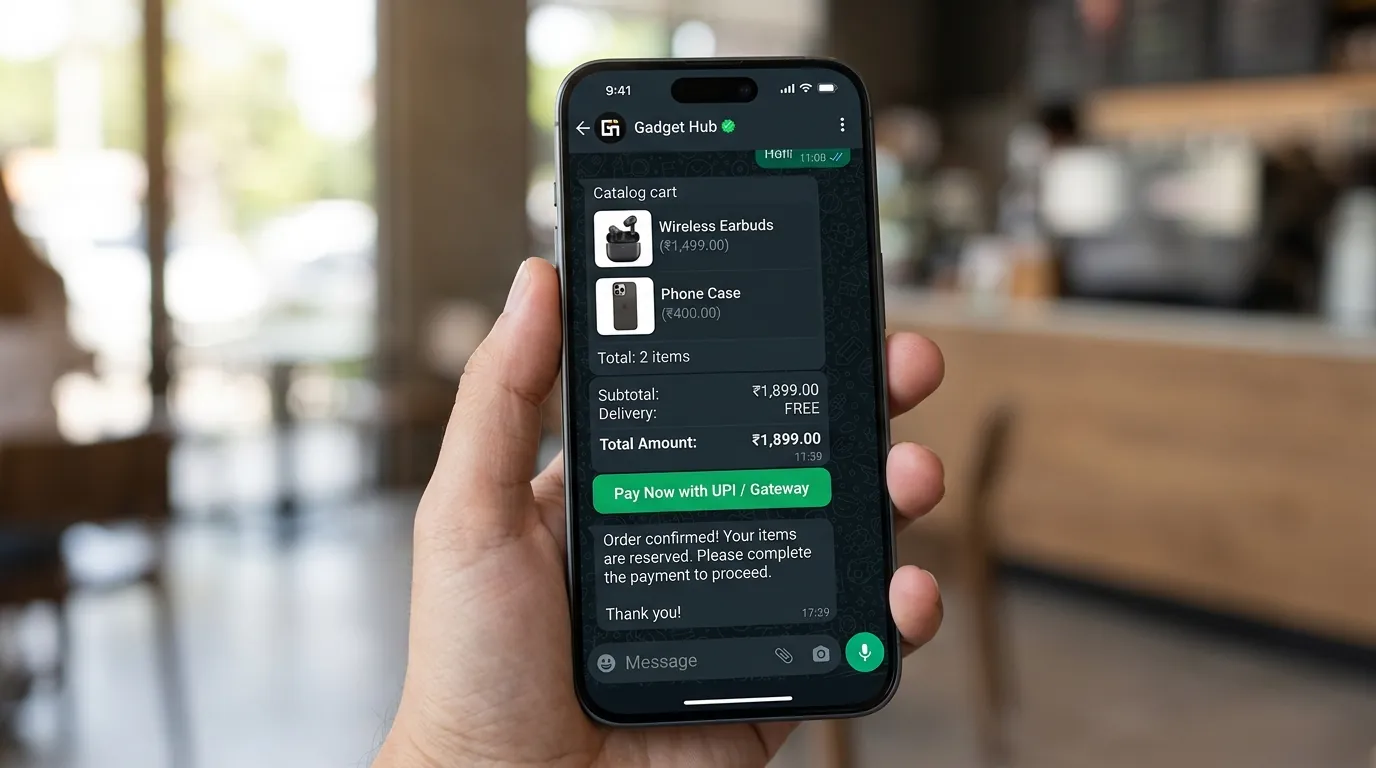
Customers browse your WhatsApp catalog, add items to the cart and pay in the same conversation.
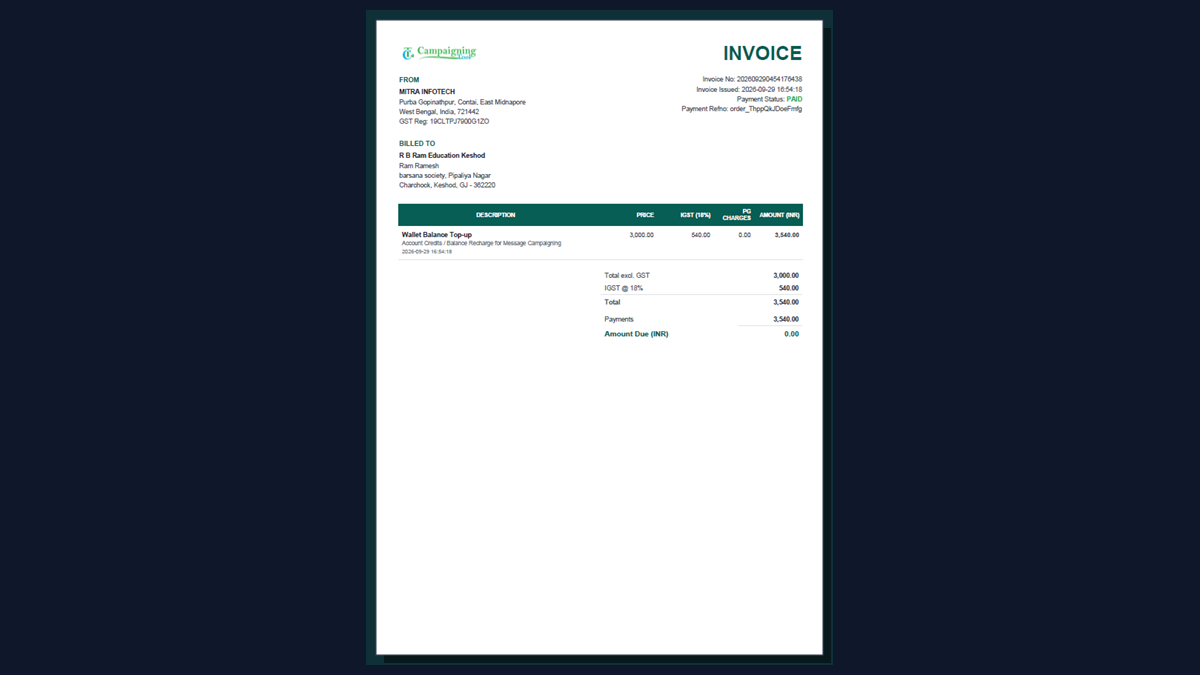
Send a PDF invoice or receipt on WhatsApp as soon as payment is confirmed.
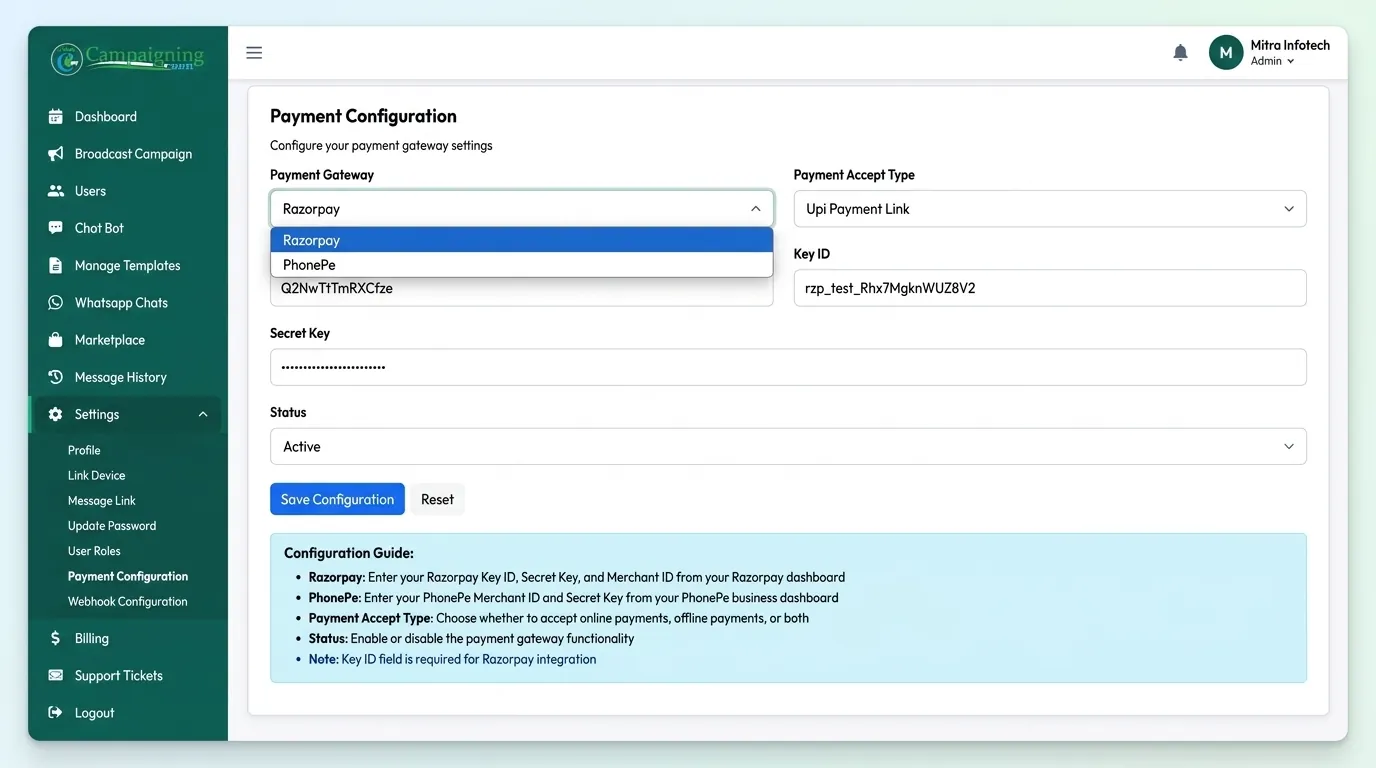
Connect your Razorpay, PhonePe or other supported gateway account. Money goes to your gateway account, and card details are handled by the gateway, not stored by CampaigningTool.
Easy setup to send payment prompts, receive instant authorizations, and reconcile transactions.
Connect your WhatsApp Business API number through CampaigningTool.
Link your payment gateway account (Razorpay, PayU and other supported gateways).
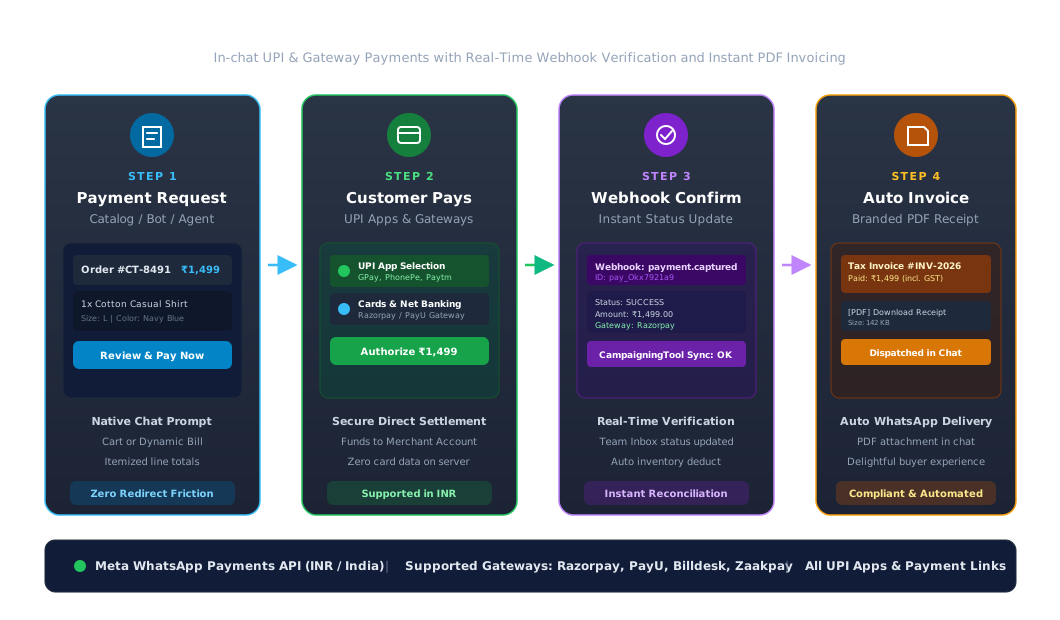
Send an order or payment request through catalog checkout, a campaign message or a payment link.
Customer pays in the chat. You see the payment status in your dashboard, and the invoice goes out automatically.
Enable customers to view your complete product catalog, select item variants, and build an in-chat shopping cart. When ready, customers tap the payment button to authorize the transaction directly on their phone.
Eliminate manual invoice generation. As soon as your connected payment gateway confirms the transaction, CampaigningTool generates a downloadable PDF invoice and delivers it into the customer's WhatsApp chat.
How payment gateways, UPI apps, and regional payment options work on the Meta platform.
Meta Payments API & Supported Gateway Infrastructure
Meta's Payments API lets customers pay through any UPI app on their phone, and through cards, net banking and wallets via your payment gateway. Direct integration is available for Razorpay, PayU, Billdesk and Zaakpay, and other gateways can work through UPI intent or payment links. In-chat payments currently work in INR for businesses in India. If your gateway or country isn't supported, you can still send payment links, which open in the customer's browser.
Practical conversational payment workflows across leading business sectors.
Retail and D2C
Convert catalog browsing into paid orders directly inside WhatsApp, reducing shopping cart abandonment with 1-click in-chat UPI checkout.
Education Fee Collection
Send parents automated tuition fee reminders with student name, due date and a direct pay button. Automatically dispatch fee receipts once paid.
Healthcare Consultations
Collect upfront consultation fees and lab test advance payments before confirming doctor appointments and sending clinic directions.
Finance & Insurance Premium Reminders
Dispatch automated policy renewal notifications with personalized payment amounts and collect annual premiums via UPI or net banking.
Real Estate Booking Amounts
Enable property buyers to reserve inventory units and pay token advance booking amounts directly through secure payment links in chat.
Hotels & Travel Deposits
Collect room advance deposits, activity package balances, and room service bills seamlessly with in-chat UPI links.
Answers to common questions about accepting in-chat payments on WhatsApp with CampaigningTool.
They let customers pay a business from inside a WhatsApp chat, using UPI and the payment methods your connected payment gateway supports. CampaigningTool connects your WhatsApp Business API number to your gateway and tracks the payment status.
Not exactly. WhatsApp Pay is Meta's consumer UPI feature for sending money between people. Business payments on WhatsApp use the WhatsApp Business Platform with your own payment gateway account.
Meta supports direct integration with Razorpay, PayU, Billdesk and Zaakpay, and other gateways can work through UPI intent or payment links. Tell us which gateway you use and we'll confirm the setup.
Yes, where your payment gateway supports it, along with UPI and wallets.
Meta's in-chat payments currently work in INR for businesses in India. For other countries you can send payment links, which open in the customer's browser.
Payments are processed by your payment gateway, and card details are handled by the gateway, not stored by CampaigningTool.
Yes. A PDF invoice or receipt is sent on WhatsApp once the payment is confirmed.
Payment request messages are billed as Meta utility or marketing templates, and your payment gateway charges its standard transaction fee. See the pricing page for current plans.
Connect your WhatsApp Business API number and payment gateway, send your first payment request and get paid in chat. Try it free for 7 days.