
WhatsApp for Events and Webinars: Registration, Reminders and Certificates
Let people register for your events and webinars in a chat, get a reminder with the join link before it starts, and receive automated webinar follow up messages and certificates afterwards. CampaigningTool runs on the official WhatsApp Business API, uses Meta-approved templates and messages only people who registered or agreed to hear from you.
What You Can Do with WhatsApp for Events
Engage attendees from first registration through post-event feedback and certificate delivery.
Registration in a Chat
Replace long forms with a short in-chat form or a message. People can register from a Click-to-WhatsApp ad, a QR code or a link, and get a confirmation straight away. See WhatsApp forms.
Explore WhatsApp FormsReminders with the Join Link
Send reminders before the event, for example a day, an hour and 15 minutes ahead, with your Zoom or Meet link, so attendees can join in one tap. Schedule automated sequences with Meta-approved utility templates.
WhatsApp SchedulerCertificates and Feedback
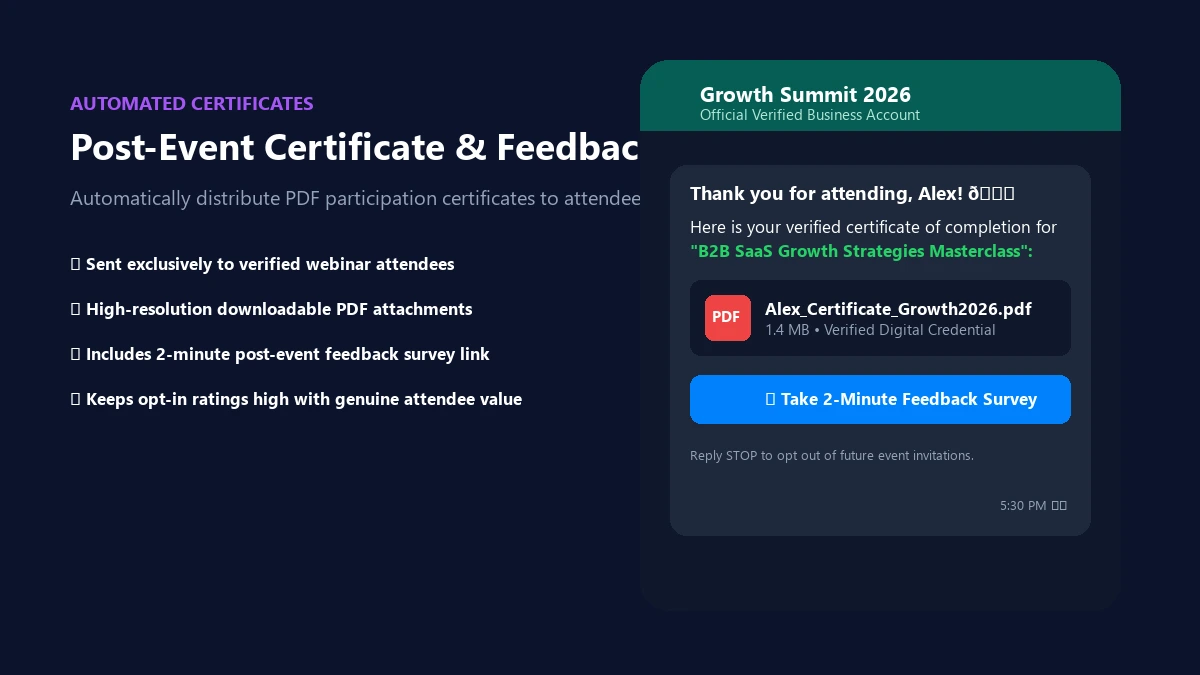
Send PDF participation certificates and a feedback request after the event, to the people who attended. Collect rapid NPS ratings and keep attendees engaged for your upcoming summits.
Browse Template Library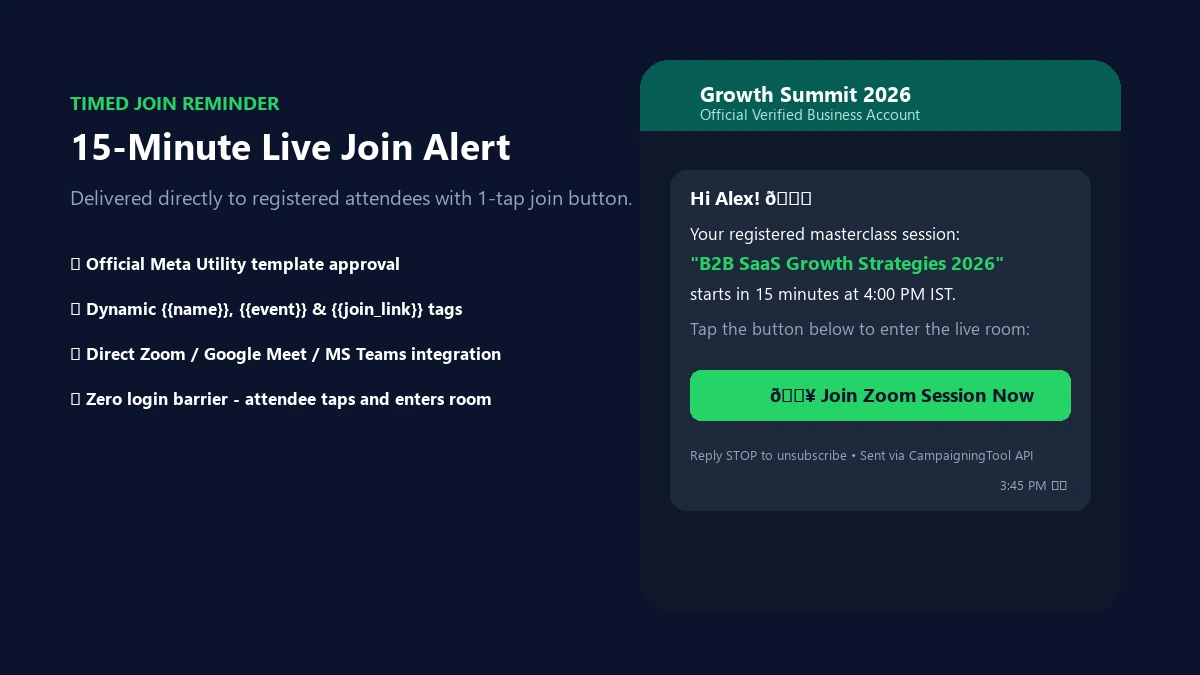
How WhatsApp for Events Works
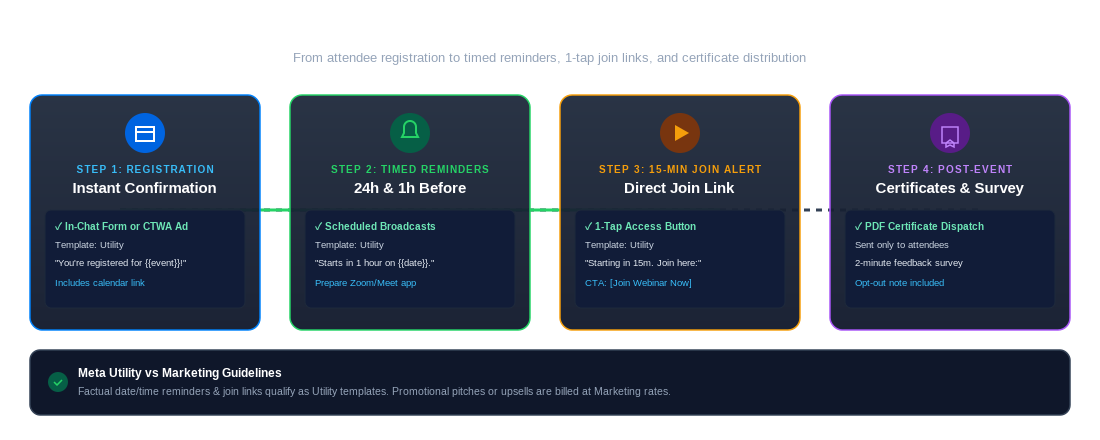
A simple, automated 4-step sequence from attendee sign-up to post-event engagement.
Collect Registrations
Collect registrations with consent to receive WhatsApp messages from chat links, ads or embedded forms.
Instant Confirmation
Send an instant confirmation message containing event details, date, time and a calendar link or invite file.
Schedule Reminders
Schedule timely reminders with Meta-approved templates using our WhatsApp scheduler.
Certificates & Feedback
Send personalized PDF participation certificates and quick feedback surveys after the event to attendees.
A Simple Reminder Schedule for WhatsApp Events
Recommended sequence for webinars, workshops, and multi-day conferences.
| When | Message | Typical template type |
|---|---|---|
| Right after registration | Confirmation with date and calendar link | Utility |
| 24 hours before | Reminder with date and time | Utility |
| 1 hour before | Reminder with the join link | Utility |
| 15 minutes before | "Starting soon" with the join link | Utility |
| After the event | Thank-you and certificate | Utility |
| After the event | Feedback request | Utility or marketing |
| Later | Invitation to your next event | Marketing |
Sample WhatsApp Messages for Events
Meta-compliant template copy for each stage of your event lifecycle.
WhatsApp or Email for Event Reminders?
Many organizers use both. WhatsApp suits short, time-sensitive reminders such as "starting in 15 minutes", and email suits longer details such as agendas and speaker bios.
Use whichever each attendee agreed to, and don't send the same reminder on both channels at once to prevent notification fatigue.
Who Uses WhatsApp for Events
Trusted by organizers running virtual sessions, summits, and physical gatherings.
Webinar & Training Teams
Online educators and B2B SaaS teams send instant access links and session recordings to registered professionals.
Conference & Trade Shows
Large-scale event managers deliver badge QR codes, keynote hall schedules, and venue map links directly in chat.
Workshop Hosts
Hands-on coaches share pre-workshop preparation materials, resource files, and interactive worksheets.
Community & Meetup Groups
Local tech and professional chapter leads ping members with location pins and last-minute RSVP updates.
Product Launches
Brands broadcast live stream links and reveal exclusive early-bird discount codes to VIP waitlists.
College Fests
Campus committees distribute event passes, competition schedules, and e-certificates for college fests.
Consent and Rules
Message only people who registered or agreed to receive messages, and make opting out easy by supporting standard keywords like STOP.
Keep reminders factual, and don't mix promotion into utility messages to prevent template reclassification or account warnings. Send certificates only to the people who attended.
For complete compliance guidelines and message tier rules, review our WhatsApp API requirements guide.
WhatsApp for Events and Webinars: Frequently Asked Questions
Everything you need to know about reminders, join links, templates, and Meta policies.
Attendees register through a WhatsApp chat, form or ad, get a confirmation, and receive reminders with the join link before the event, using Meta-approved templates, for people who agreed to receive messages.
Yes. Include it in a reminder template, for example one sent an hour or 15 minutes before the event.
Yes, for messages sent more than 24 hours after a person's last message. A 24-hour-before reminder usually needs one.
Yes, you can send a calendar link or file with the confirmation.
Yes. Send a PDF to the people who attended, after the event.
They suit different jobs. WhatsApp works well for short, time-sensitive reminders, and email for longer details. Use the channel each attendee agreed to.
Yes. WhatsApp requires opt-in, and every message should make it easy to opt out.
Event invites and promotions are usually marketing messages, while a joining link sent after someone registers is often utility. See the pricing page for current plans.
Run Your Next Event on WhatsApp
Collect registrations, send reminders with the join link and share certificates afterwards. Try CampaigningTool free for 7 days.