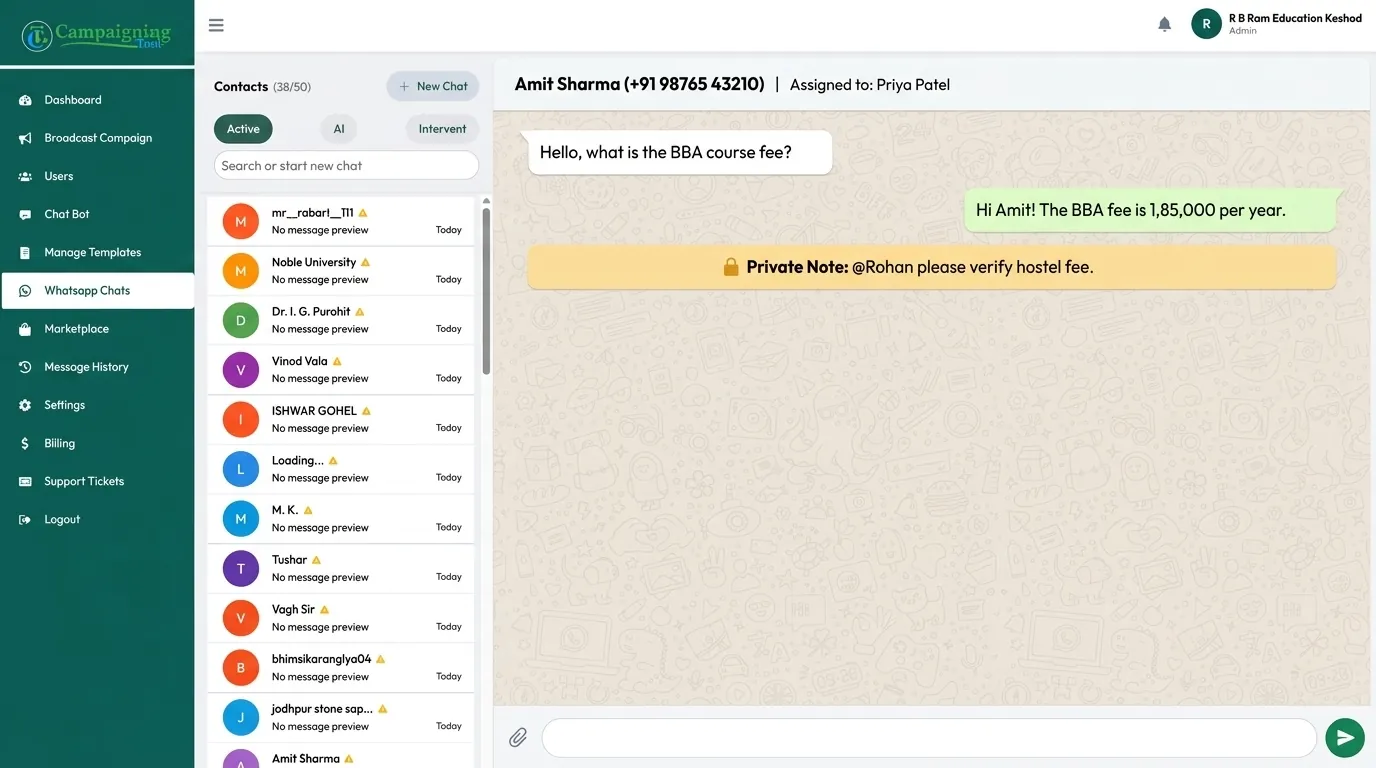
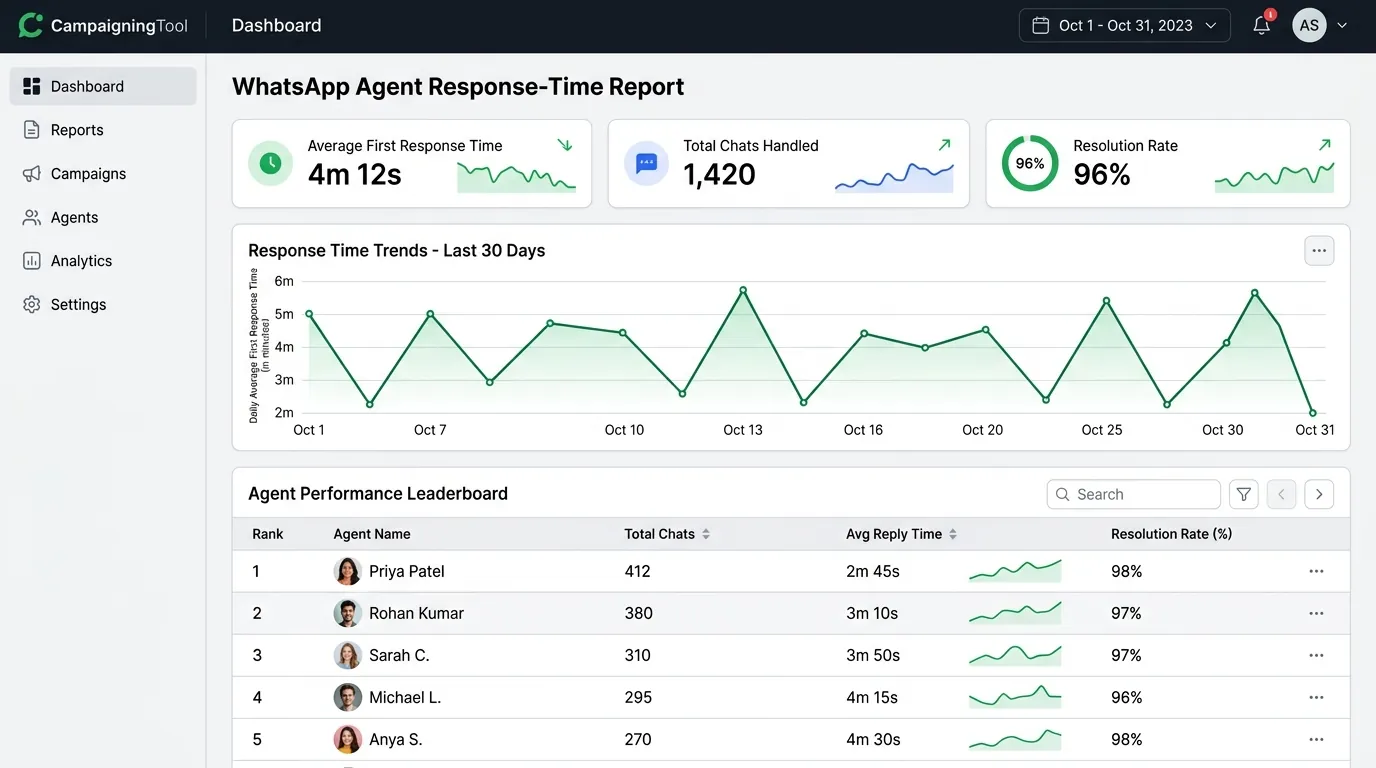
Your whole team can answer customers from one WhatsApp number. Chats go to the right person, notes stay private, and you can see who replied and how fast. It runs on the official WhatsApp Business API, so nobody has to pass a phone around or share one login.
A WhatsApp team inbox is one shared screen where several people reply to customers on the same business number. Each chat can be given to a person or a team, so two agents don't answer the same message and nothing gets lost.
It replaces the usual setup: one phone on the sales desk, one person who "owns" WhatsApp, and a lot of screenshots sent around to ask "who is handling this?"
Why fast-growing businesses switch from standard linked devices to the official WhatsApp Business API team inbox.
Linked-device limits are set by WhatsApp and can change. Check their current rules.
Everything your team needs to handle high volumes of customer conversations smoothly and professionally.
Sales, support and accounts all reply from the same WhatsApp number. Customers see one business, not five phones.
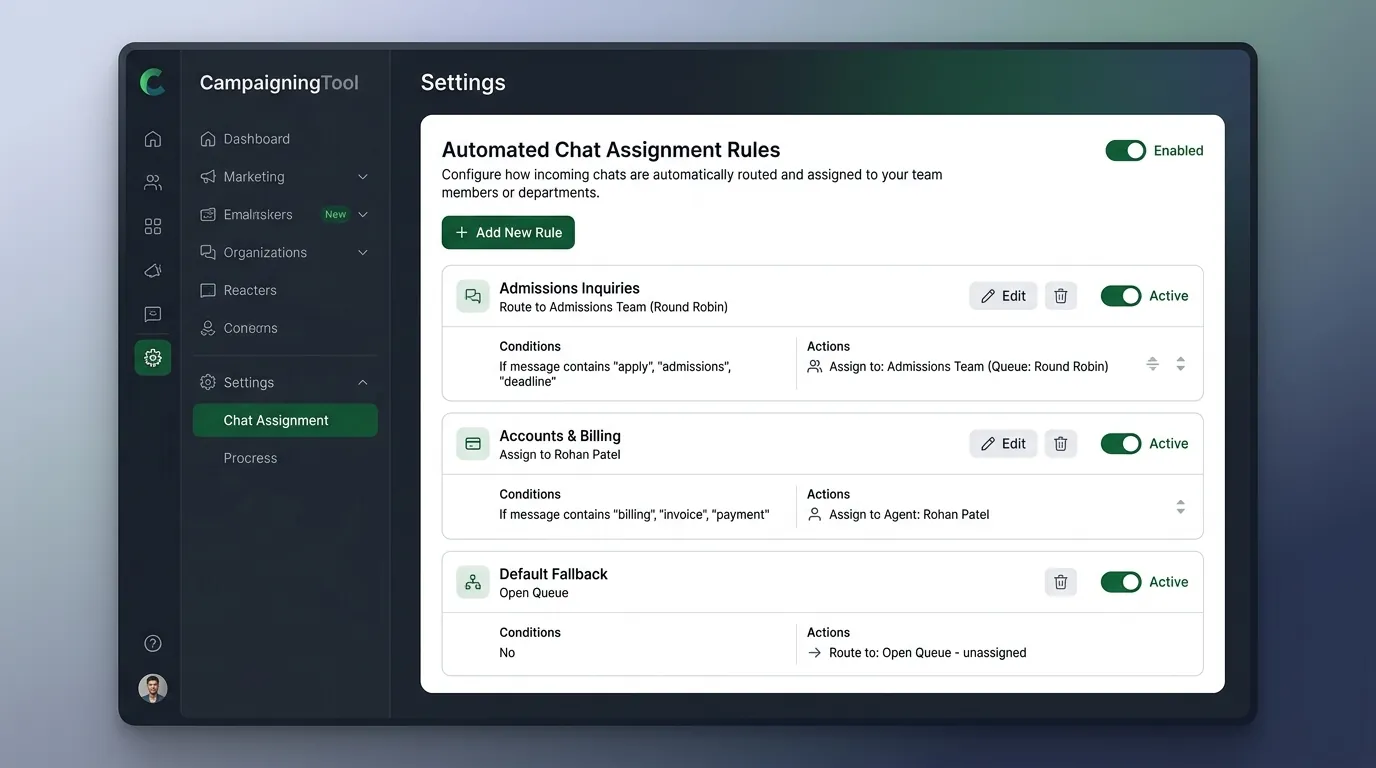
Give a chat to a person or a team, and set rules so new chats go to the right place on their own.
Leave a note on a chat, and tag a colleague to bring them in. The customer never sees it.
Store the answers you type again and again (fees, timings, delivery, address). Insert one in a click and edit it.
See how fast each agent replies and how many chats they handled.
Give owners, managers and agents different access, so each person sees only what they need.
Get your entire team answering customers on your official WhatsApp Business number in four simple steps.
Link your WhatsApp Business API number. If you don't have one yet, start with our WhatsApp Business API page.
Invite people by email and give each a role.
Decide who gets which chats, for example by team or topic.
Open the inbox, pick a chat and answer. Add saved replies as you go.
A practical walkthrough of a multi-department conversation managed from a single WhatsApp number.
This is a sample day. Replace names with your own examples and label it "sample".
How sales, support, finance, and front desk teams collaborate smoothly under one verified number.
Sales
Follow up with leads, send quotes and brochures, and see who replied first.
Customer support
Share the load, hand tricky cases to a senior agent, and keep the full history in one chat.
Accounts and billing
Answer payment and invoice questions, with a payment link in the same chat.
Admissions and front desk
A college or clinic can share one number across departments. See the college page for examples.
Combine team collaboration with high-volume outbound messaging, live voice calls, and automated artificial intelligence.
When you send a bulk WhatsApp message broadcast, replies land in the inbox, so your team can answer while the customer is still interested.
Answer incoming voice calls alongside chat history using WhatsApp Calling directly within the portal.
Let the WhatsApp AI agent answer first, and pass the chat to a person when it isn't sure. The agent adds a short note, so your team doesn't start from zero.
Proven operational guidelines to maintain fast response times, accountability, and customer satisfaction.
Agents replying inside the 24-hour window are sending service messages, and templates sent after it are billed by Meta by category. The number of agent seats depends on your CampaigningTool plan, plus 18% GST, and Meta's charges are passed on at cost. See the pricing page for what each plan includes.
Detailed answers to common questions regarding multi-user agent seats, permissions, reports, and number setup.
A shared inbox where several people reply to customers from the same business number. Each chat can be assigned, and everyone works from a dashboard instead of one phone.
Yes, through the WhatsApp Business API and a platform like CampaigningTool. The regular WhatsApp apps limit how many devices you can link to one number.
It depends on your plan. See the pricing page, or contact our team if you need more seats.
Yes. You can give a chat to a person or team by hand, and set rules so new chats reach the right person on their own.
No. Notes are visible only to your team.
Yes. You can give people different roles, such as admin, manager and agent, so each one has only the access they need.
Yes. The reports show response times and who handled which chats.
Yes. The AI agent can answer first and pass the chat to your team with a short summary.
Not always. Your existing number may work if it meets Meta's requirements, and it usually can't stay active on the regular WhatsApp app too. Read our requirements page.
Agents replying inside the 24-hour window are sending service messages, and templates sent after it are billed by Meta by category. See the pricing page for current plans.
Complement your shared team inbox with official WhatsApp Business API marketing, AI automation, and payment features.
WhatsApp Business API
The official WhatsApp Business API with your own number, a shared inbox and tools for campaigns.
Learn APIAI Agent
Train an AI agent on your business documents to resolve common customer questions 24/7 before human handoff.
AI AgentBulk Broadcast
Replies to a broadcast land in your shared inbox, where your team can answer them.
Bulk BroadcastWhatsApp Pay
Accept 1-click payments inside WhatsApp with UPI, debit cards, and automated instant PDF receipts.
WhatsApp PayTemplate Library
Ready-to-edit templates your agents can send once the 24-hour reply window has closed.
Template LibraryPricing
Transparent plan comparison showing agent seats, contact limits, and zero markup on Meta messaging fees.
View Pricing