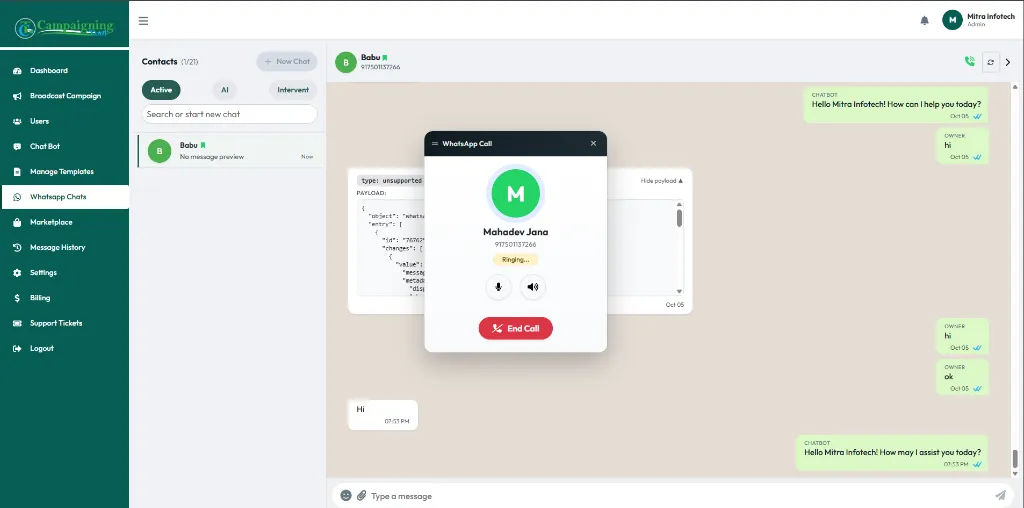
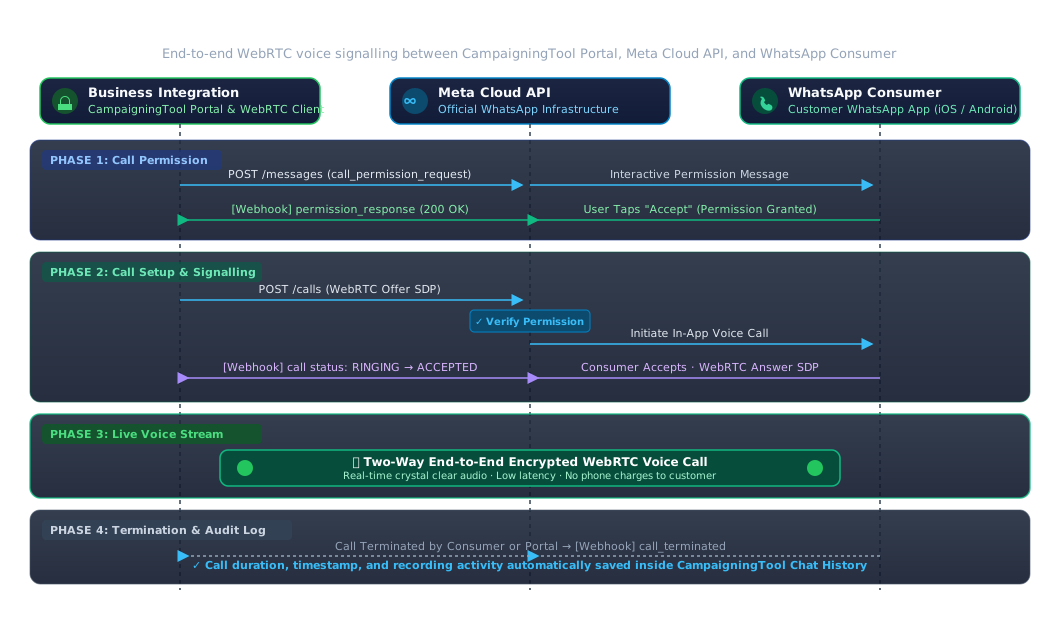
Let customers call your business directly from WhatsApp. CampaigningTool is an official Meta Cloud API partner, so you can use Meta's WhatsApp Calling feature from your CampaigningTool portal, with every call linked to the customer's chat history.
Connect with your customers by voice directly inside their active WhatsApp conversation window.
Customers tap the call button in WhatsApp and reach your business, with no phone number to dial.
Your team sees the call next to the chat history, so agents know the customer's context before they answer.
Calling runs on Meta's own infrastructure through an official partner, not an unofficial tool.
Four easy steps to enable seamless voice communication with your customers.
Connect your WhatsApp Business number through CampaigningTool.
Enable calling for your number (Meta's requirements apply).
Customer taps the call button in your WhatsApp chat.
Your team answers from the portal, and the call is saved with the chat.
WhatsApp Calling is a Meta feature, so Meta's rules apply. You need a verified WhatsApp Business number, and calling is not available in every country. For calls you start, the customer must give permission first. Meta may charge per call minute. Check Meta's current documentation or talk to our team to see whether your number and country qualify.
High-value business scenarios where switching from text chat to live voice resolves inquiries faster.
Customer Support
Let customers move from chat to a call when a problem is hard to type out.
Team Inbox RoutingSales and Enquiries
Let a lead call straight from your ad or catalog chat to close sales faster.
WhatsApp Business APIAppointments and Bookings
Confirm or reschedule consultations, campus tours, and site visits by voice.
AI Appointment AgentHealthcare, Finance & Real Estate
Dedicated workflows for high-touch customer consultation across regulated sectors.
Common questions about Meta's WhatsApp Calling API, permissions, and portal setup.
It is a Meta feature that lets customers call a business from WhatsApp, and lets the business answer from software. CampaigningTool offers it as a Meta Cloud API partner.
Calling is provided by Meta. CampaigningTool connects your WhatsApp Business number to it and lets your team handle calls from the portal.
Yes, you can enable it from your dashboard. Contact our team for onboarding and early access.
No. Customers can call you, but for calls you start, the customer must give permission. Calling is not available in every country, and Meta sets its own limits and charges.
Customers call through WhatsApp, so they don't dial a regular number. Your team answers directly in the CampaigningTool portal.
Yes, call activity appears next to the customer's chat in your CampaigningTool portal.
Often yes, if it meets Meta's requirements. Learn how to use your existing number on the WhatsApp API.
WhatsApp Business calling charges are set by Meta, while text follow-up templates are billed by Meta by category. See the pricing page for current plans.