
 Official WhatsApp Business API
Scale customer outreach with official bulk WhatsApp message broadcast software. Send approved marketing and utility broadcast templates to thousands of opted-in customers at once with personalized fields, media attachments, interactive CTA buttons, and real-time delivery tracking.
Here's what you get when you send a broadcast with CampaigningTool.
Add custom tags like name, course, invoice amount, or unique voucher codes so every message feels personal and relevant.
Attach product images, PDF brochures, video previews, and interactive Quick Reply or CTA link buttons to increase clicks.
Broadcast immediately to your entire list or schedule campaigns ahead of time for the exact date and hour you want.
When customers reply to your broadcast, messages route straight to your shared team inbox so your agents can close the deal.
Connect your existing CRM, website, or ERP via our REST API to trigger automated bulk and transactional broadcasts smoothly.
Track real-time sent, delivered, read, and failed counts with detailed error logs and exportable recipient reports.
It means sending the same message to a big list of people at once. Each person gets it in their own chat with you. It isn't a group, so nobody sees who else got it, and when someone replies, the reply lands with your team, not with everyone.
A lot of small shops start with the broadcast list in the WhatsApp Business app. That works until it doesn't. The list stops at 256 people, and a customer only gets your message if they've saved your number. Once you pass a few hundred customers, you hit both limits fast. The official API doesn't have those two limits, which is why we build on it.
Sample WhatsApp broadcast with personalized course fee and instant Pay Now button.
Why growing businesses switch from manual phone broadcasts to official Cloud API software.
Check Meta's current limits before planning a large send. They change.
Launch targeted campaigns in minutes with zero coding required.
Add a CSV or Excel file with names and phone numbers. Extra columns, like city, course or last order date, can come along too. You can use them later to decide who gets what. If your customer data sits in a CRM, you can send it in through our API.
Choose a template Meta has already approved, or write a new one and send it for review. Add tags like {{First_Name}}, and attach an image, PDF or button if you want. Our template library has starting points.
Send now, or pick a date and time. Once it's out, you'll see the sent, delivered, read and failed counts come in, with detailed WhatsApp link tracking. Replies go to your team inbox, so someone can answer while the customer is still interested.
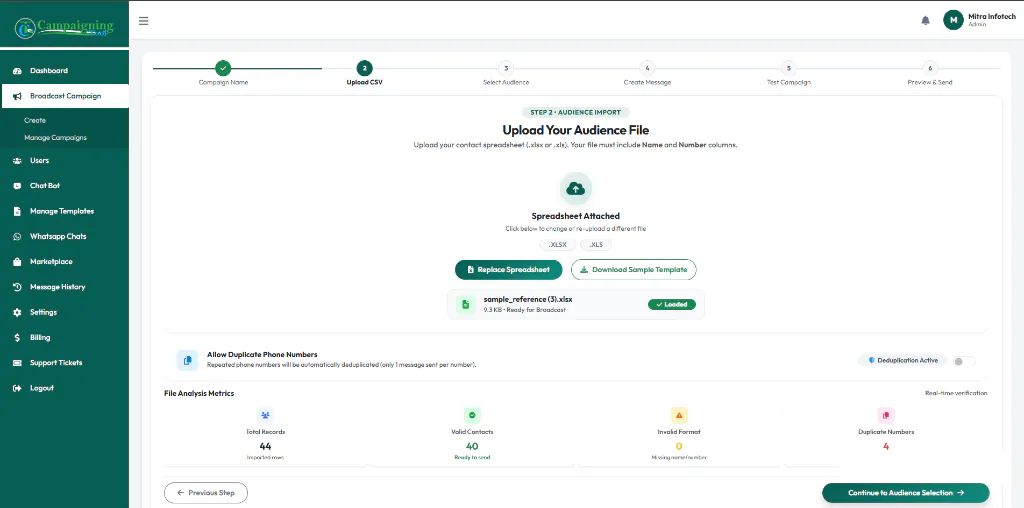
Uploading and mapping Excel/CSV contact columns into CampaigningTool.
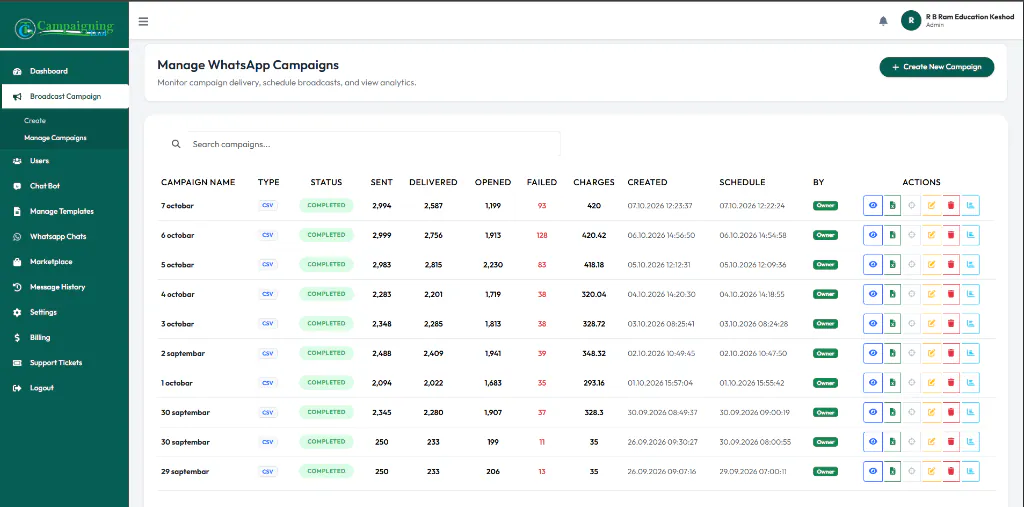
Sample broadcast report showing sent, delivered, read counts, and download logs.
Meta puts every template into a category. The category decides the rules and the price.
Meta decides the final category. If you write a sales message and call it "utility", expect Meta to change it.
High-engagement campaign workflows used by schools, clinics, retailers, and service providers.
A coaching institute sends each parent the amount, the due date and a pay button, a few days before the deadline. Collect instantly via WhatsApp Pay.
An online store reminds shoppers about what they left behind, with the product photo and a button back to checkout.
Send the invite, then a reminder the day before and another an hour ahead. Include the direct joining link.
A clinic or salon confirms the slot and asks the customer to reply if they need to change it.
Send a coupon code to past buyers a few days before Diwali, festive periods, or seasonal store clearances.
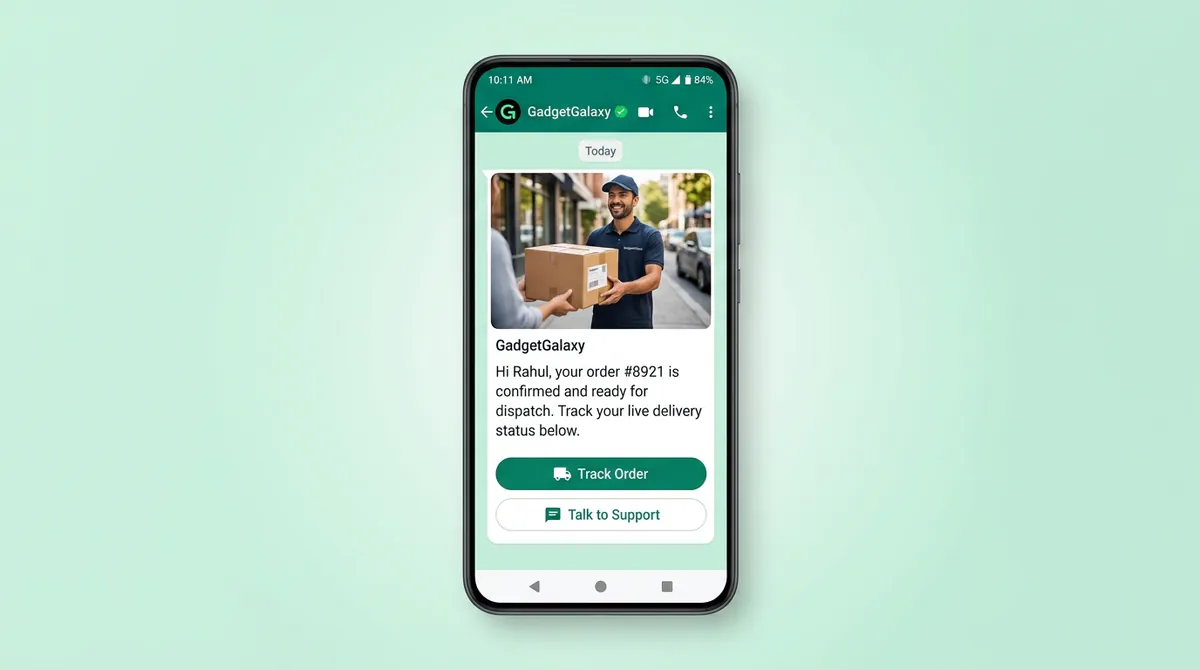
Tell customers when their order is packed, shipped and out for delivery with real-time live tracking links.
Message people who enquired but didn't buy, with a downloadable course brochure or a short limited-time offer.
Send friendly review requests after a purchase or visit and manage your feedback via Google review automation.
Clean formatting with clear variables and high-action call-to-action buttons.
These are examples. Meta reviews every template before you can use it.
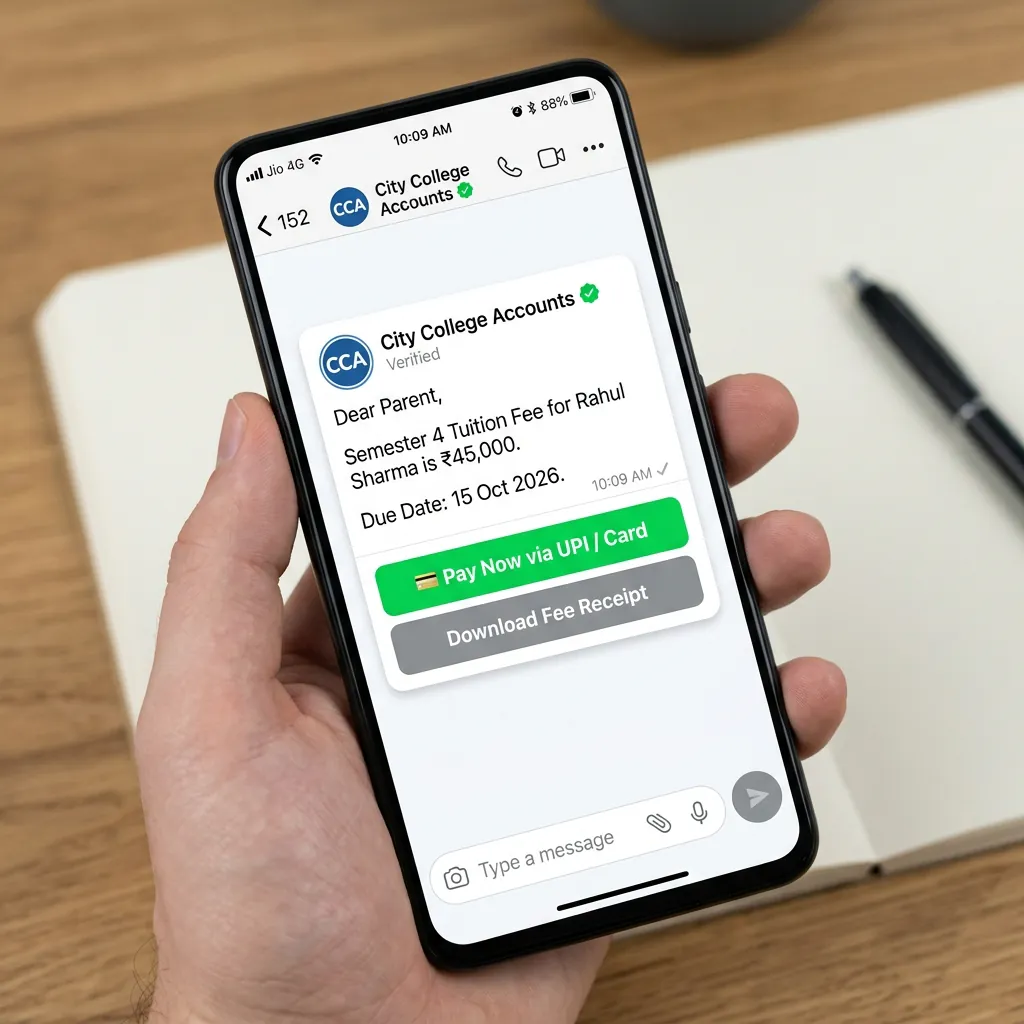
Interactive preview of approved Utility and Marketing message templates on mobile.
Protect your phone number reputation and maintain high Meta Quality ratings.
A tick box on your form, like "Send me updates on WhatsApp", is enough. Note when and where they said yes.
If you collected numbers three years ago and never messaged them, many people won't remember you. Some will block you.
A message about a new batch means nothing to someone who already joined. Even a simple split (new enquiries, current customers, lapsed customers) helps.
The right gap depends on your customers. Start with less than you think, and watch replies and blocks carefully.
Tell them how to stop getting messages, and respect it promptly when they request to opt out.
Meta scores your number. If the score drops, people are blocking or reporting you. Fix the message or the list before the next send.
No tool can promise your number will never be restricted. What we can do is keep you on the official API and show you the warning signs early. See our WhatsApp Business API page for how the API works.
Transparent billing with direct Meta pass-through pricing and zero hidden markups.
Meta charges per message based on its category (marketing or utility), and on top of that you pay your CampaigningTool plan and 18% GST. Meta's rates are passed through at cost with zero markup. See the pricing page for plans, and check Meta's current rate card before you budget a big send.
Combine broadcast campaigns with multi-agent inbox, AI chatbots, and automated payment links.
Answers customer questions 24/7 from your FAQs and catalogues, and passes warm leads to your team.
Explore AI AgentA shared inbox for your sales and support agents with chat assignments, tags, and internal notes.
Explore Team InboxSend native UPI payment links inside chat and reconcile fees, orders, and subscriptions automatically.
Explore PaymentsReady-to-edit templates for Meta approval across marketing, fee reminders, order alerts, and authentication.
Explore TemplatesSchedule one-time announcements or recurring seasonal campaigns to reach customers at high-engagement hours.
Explore SchedulerSimple monthly subscriptions, unlimited contacts, zero setup fees, and direct Meta conversation charges.
See PricingClear, direct answers about official Meta limits, approvals, pricing, and deliverability.
A lot more than the 256 the Business app allows. Meta sets a daily limit for each business. It starts lower and goes up as you send messages people want. Check Meta's current limits before a very large send.
Yes. Any message you start needs an approved template. Approval can take from a few minutes to a day or more.
Yes. Replies go to your shared inbox, and your team can answer there.
Yes, as long as they've agreed to hear from you. With the API, they don't need to save you first.
Messaging people who agreed to hear from you is the safe route. India's Digital Personal Data Protection Act, 2023 also covers how you handle their data. Ask your legal adviser how it applies to you.
Yes. You can attach images, video and PDFs, and add reply or link buttons.
Yes. Use tags like {{First_Name}} or an order number. The tags fill in from your contact file.
It shows as failed in your report. Common reasons are a number that isn't on WhatsApp, a wrong number, or a business sending limit. Check the report, fix the list, and try again.
Yes. Pick a date and time. See our WhatsApp scheduler.
Meta charges per message based on its category (marketing or utility), and on top of that you pay your CampaigningTool plan and 18% GST. See the pricing page for current plans.
Connect your official WhatsApp Business number, upload your contact list, and launch your first targeted campaign in minutes.