Ask every customer for a Google review on WhatsApp right after their purchase or visit, get alerted when new reviews arrive, and reply faster with AI-drafted responses you can read and edit before posting. Built for local businesses on the official WhatsApp Business API.
Streamline your review collection and management without violating Google's contributor policies.
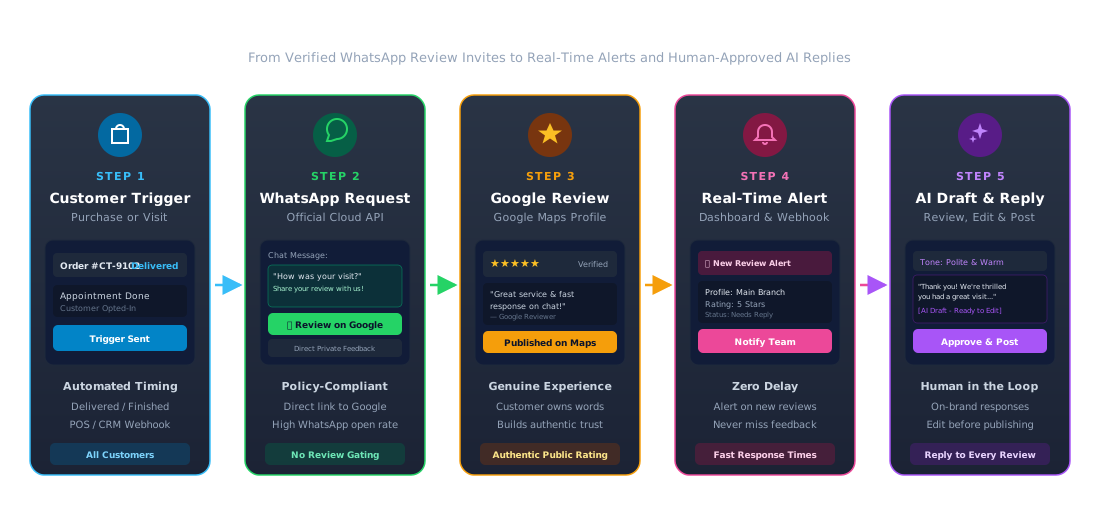
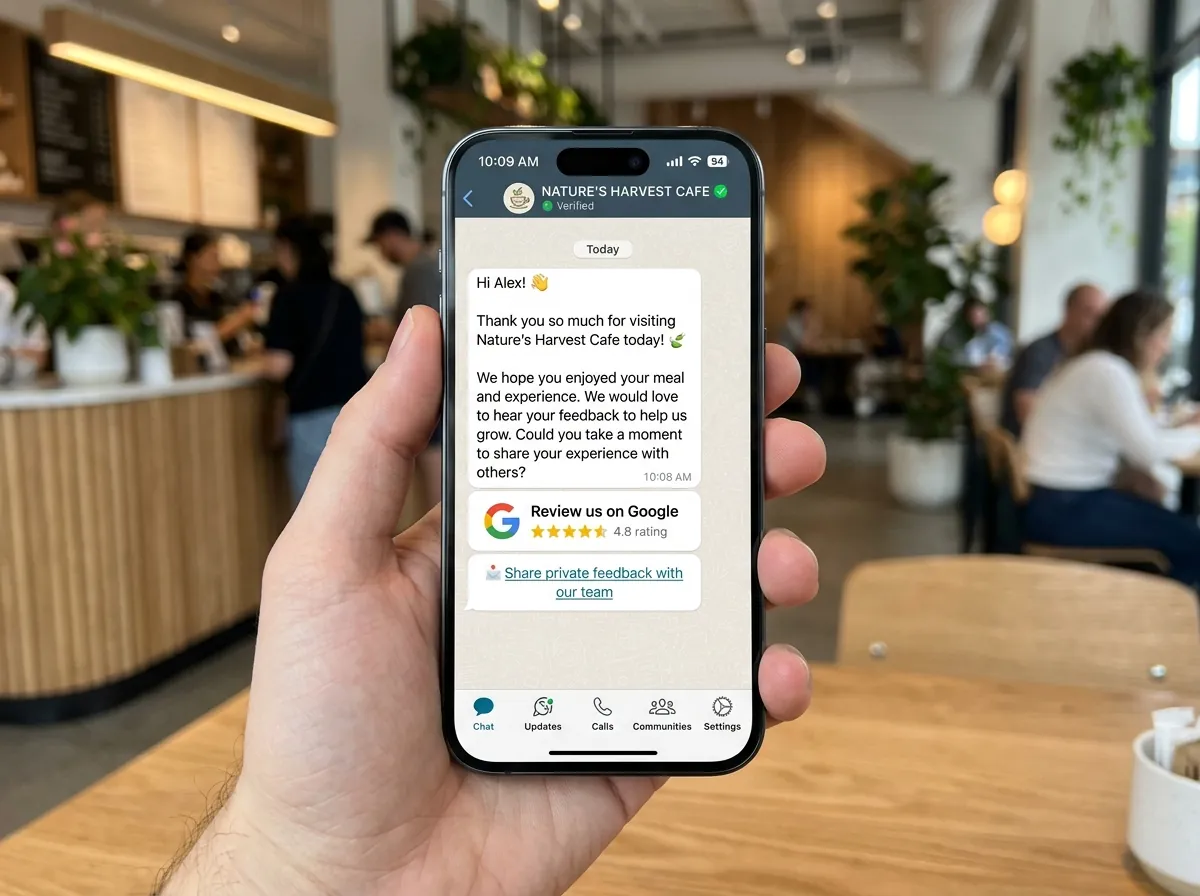
Send a friendly request with your Google review link to customers who agreed to receive messages, after a delivery or appointment. Every customer you choose to contact gets the same request.
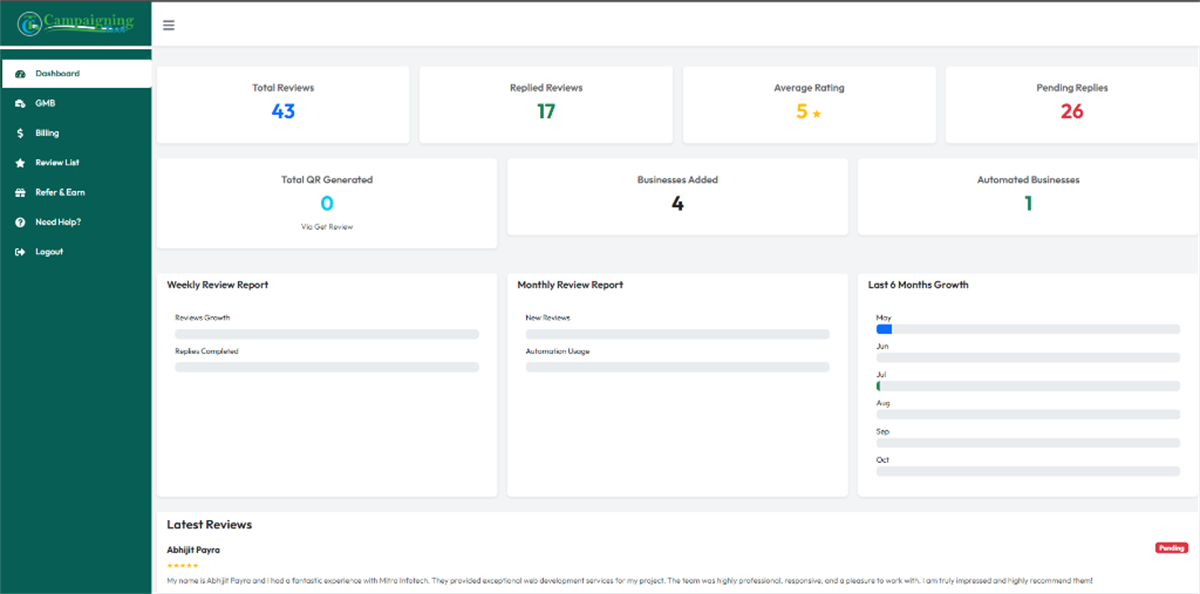
Get notified of new reviews so your team can reply publicly and fix problems quickly.
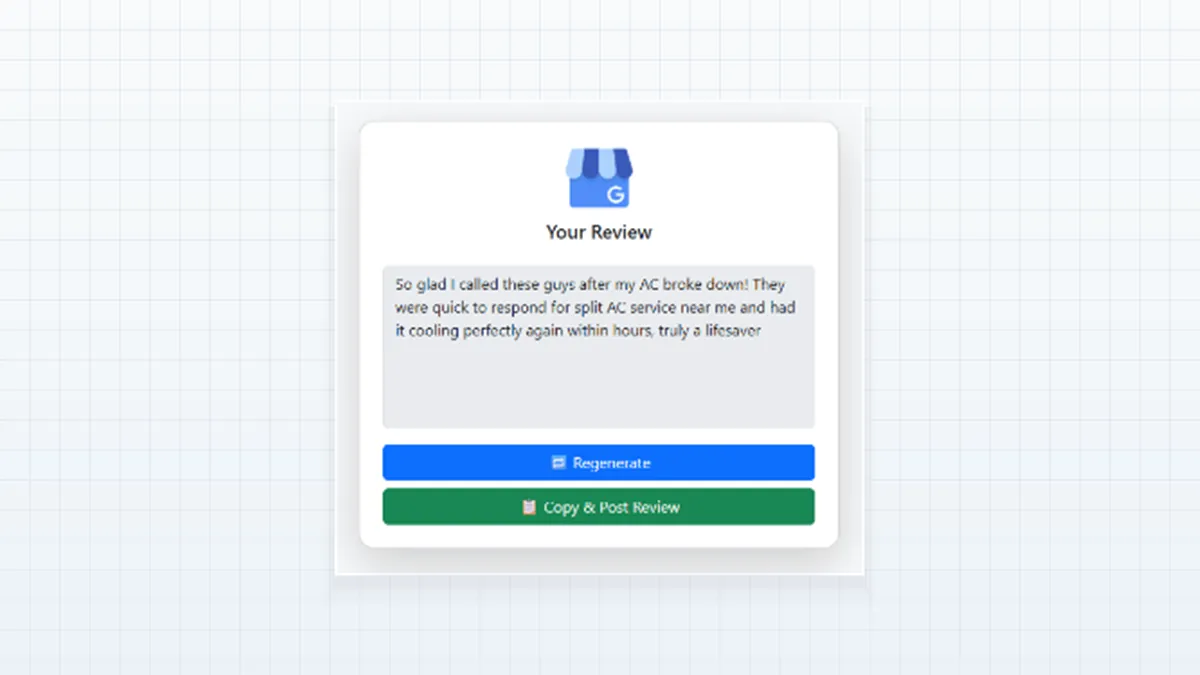
Generate replies in the tone you choose, then edit and post them yourself.
Paste a customer review, pick a tone and see a reply draft in seconds. Replies are drafts: read and edit them before you post.
Connect your WhatsApp Business API number and Google Business Profile for transparent, hands-off review management.
Connect your WhatsApp Business API number and your Google Business Profile in just a few clicks.
Trigger automated review invites after a delivery, appointment completion, or in-store checkout when the experience is fresh.
Customer taps your direct review link and writes their own authentic review on Google. Every customer gets the same direct link.
Get alerted to new feedback and reply promptly to every customer, using an AI draft as a convenient starting point.
Google's review policy says reviews must reflect genuine experiences. You can ask customers for reviews, but you shouldn't offer rewards or discounts for them, and you shouldn't ask only happy customers or discourage negative reviews. CampaigningTool is built for asking every customer, not a filtered few, and for replying to every review, good or bad. Read Google's review policy for the current rules.
WhatsApp messages have unmatched open and response rates compared to email or SMS. By sending a polite, pre-approved template with your direct Google review link, you make leaving a review effortless for customers.
From single-location practices to multi-city enterprise brands, businesses automate review requests and replies.
Clinics and Healthcare
Invite patients to share their feedback after doctor consultations, dental appointments, or diagnostic checkups.
Real Estate
Request verified feedback from home buyers and tenants following site visits, lease agreements, or property handovers.
Retail and E-commerce
Trigger automated review invitations following doorstep package delivery or in-store billing to capture real-time sentiments.
Education & Universities
Gather genuine impressions from students and parents after campus admissions, orientation seminars, and open days.
Restaurants, Salons and Hotels
Follow up with diners, hotel guests, and salon clients right after checkout to collect authentic Google Business reviews.
Multi-Location Franchises
Manage incoming reviews and AI reply drafts for dozens of branch locations from a centralized team dashboard.
Combine review automation with AI chatbots, multi-user inboxes, and official WhatsApp broadcast campaigns.
WhatsApp AI Agent
Handle incoming customer questions 24/7 on WhatsApp before and after they leave a review.
Explore AI Agents →Multi-User Team Inbox
Assign private customer feedback chats to specific support agents with collaborative internal notes.
Explore Team Inbox →Broadcast Software
Send scheduled announcements, service reminders, and customer re-engagement campaigns via Meta Cloud API.
Explore Broadcasting →Everything you need to know about collecting reviews, Google policies, and AI replies.
Send every customer who has agreed to receive WhatsApp messages a friendly request with your Google review link, right after their purchase or visit. CampaigningTool automates the timing so no customer is forgotten.
Yes, asking for genuine reviews is allowed. You shouldn't offer payment, discounts or gifts in return, and you shouldn't pressure customers or tell them what to write.
No. Google's policy prohibits selectively asking for positive reviews, so send the request to all the customers you choose to contact.
The AI writes a draft reply, and you review and edit it before posting. We recommend reading every reply, especially for negative reviews.
Reviews, ratings, recent activity and replies are among the things that can influence how your business appears, but no tool can guarantee a ranking.
Yes, for automated messages. Customers must have agreed to receive messages from you.
Yes. Google renamed Google My Business to Google Business Profile, but many people still use "GMB".
Review request messages and automated customer updates are billed by Meta according to their template category. See the pricing page for current plans.
Connect your WhatsApp Business API number, send review requests after every purchase and reply to every review faster. Try it free for 7 days.