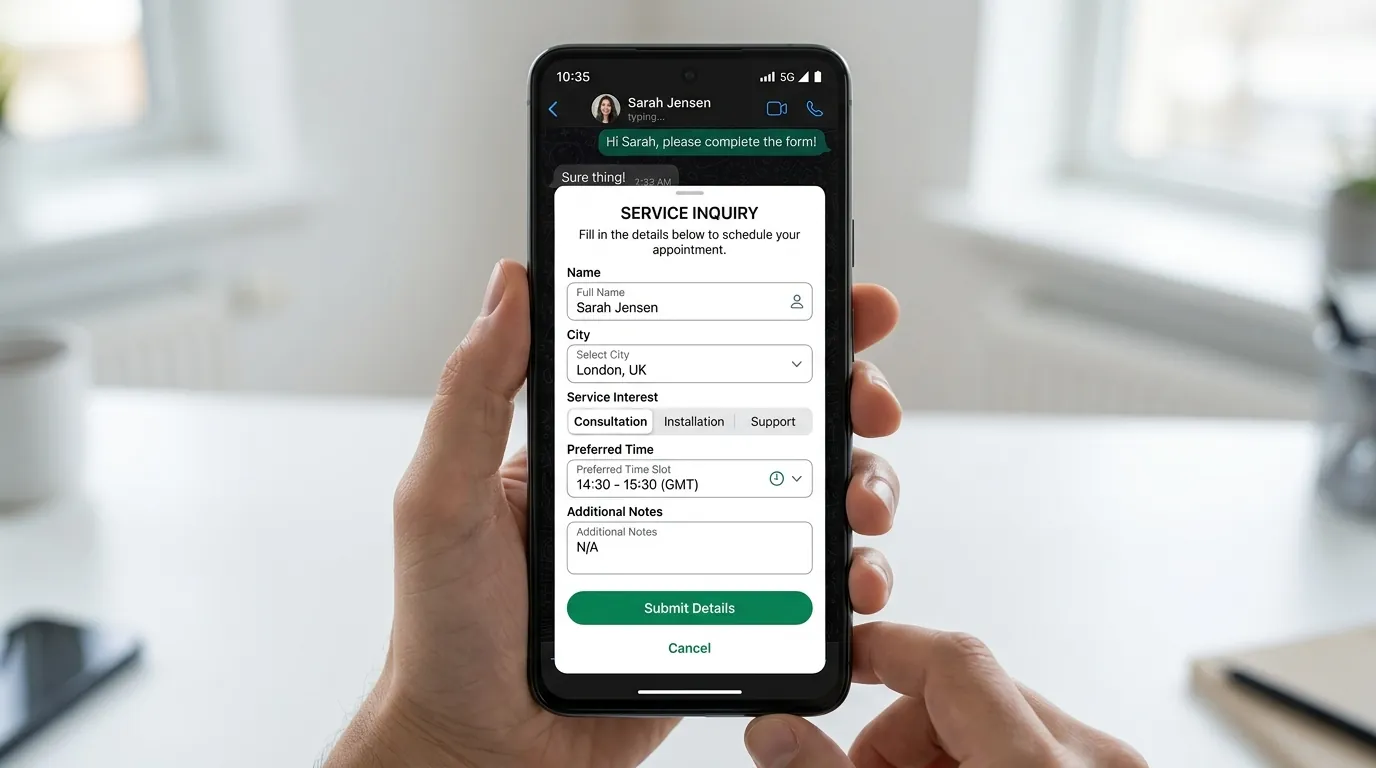
Replace long back-and-forth questions with a short form inside the chat. With Meta's WhatsApp Flows, customers pick options, enter their details and submit without leaving the conversation. CampaigningTool helps you build the form, send it in a message and pass the answers to your team or CRM.
Design structured form experiences using Meta's supported interactive components.
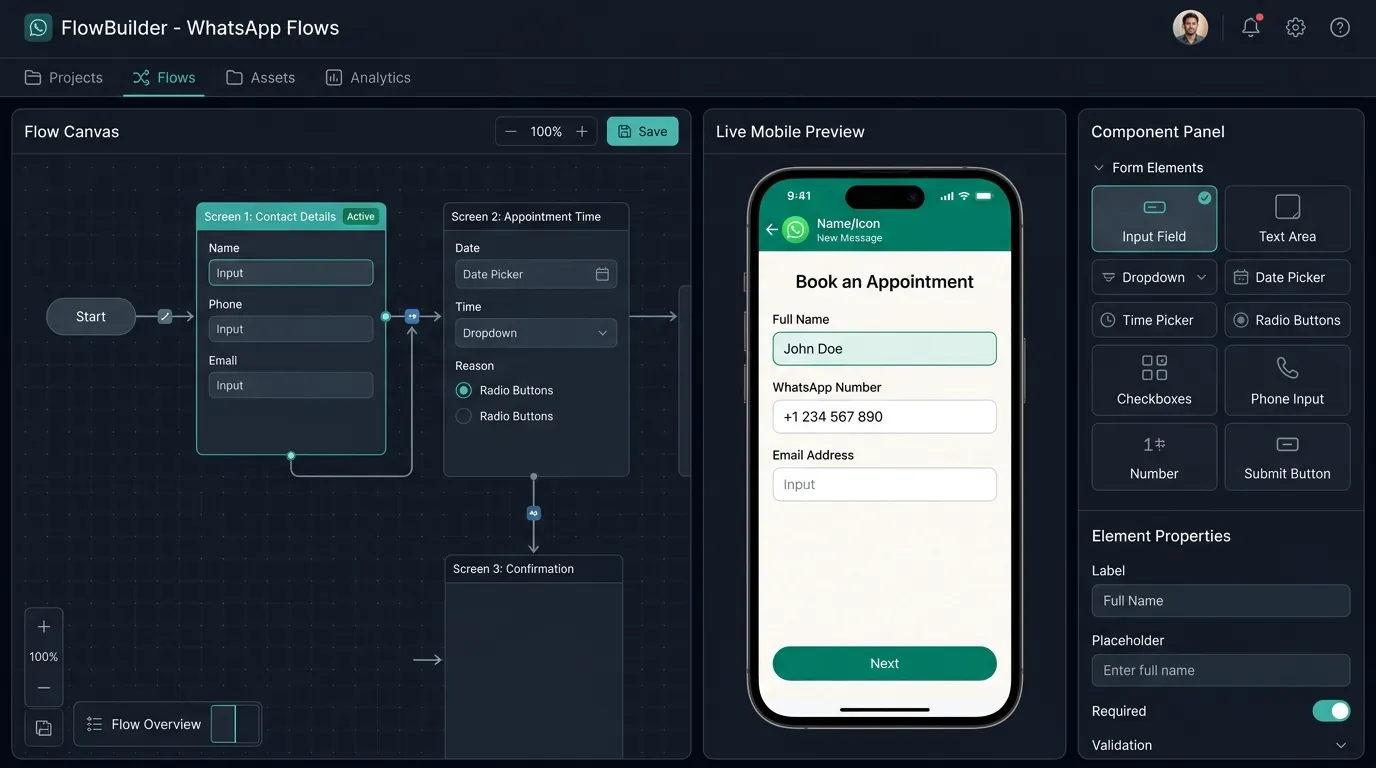
Build forms with several screens, drop-downs, checkboxes, radio buttons and date pickers. Guide users through step-by-step inputs while staying entirely inside WhatsApp.
Customers fill in one short form instead of answering one question at a time in the chat. Streamlined inputs make responses quick and effortless.
Send submissions directly to Google Sheets, Zoho, Salesforce, HubSpot, or to a custom webhook endpoint to notify sales agents or update records.
Assemble screens, configure validation rules, and preview how your form will look on mobile devices in real time. Deploy interactive flows across customer service, outbound broadcasts, or Click-to-WhatsApp ads.
Four straightforward steps to collect structured information inside any WhatsApp conversation.
Choose your screens, input fields, dropdown menus, and date pickers in the dashboard.
Send the Flow template with an action button that opens the form directly on the user's screen.
The customer selects their options, fills in the fields, and submits everything inside the active chat.
Answers instantly sync to your team inbox and connected CRM, while the chat continues smoothly.
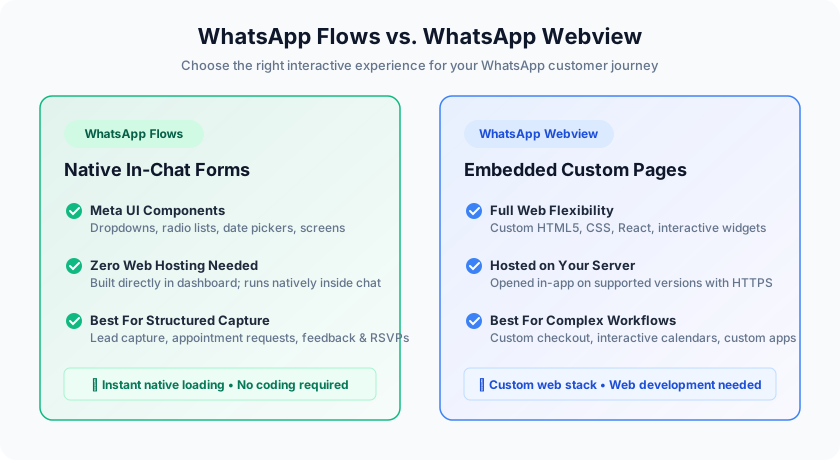
Understand when to use native WhatsApp Flows and when a custom WhatsApp webview is the right approach.
| Feature | WhatsApp Flows (Forms) | WhatsApp Webview |
|---|---|---|
| What it is | A native form built from Meta's UI components | Your own custom web page opened in the chat |
| Best for | Short forms, appointment requests, event sign-ups, feedback surveys | Full checkout, interactive product customizers, calendars, complex web apps |
| Needs web development | No — built directly in dashboard | Yes — hosted on your own server |
| More details | Native WhatsApp loading experience | See WhatsApp Webview for custom web pages |
See how structured WhatsApp forms streamline data collection across business operations.
Capture name, city, product interest, budget tier, and preferred contact time. Ideal as an immediate follow-up after a Click-to-WhatsApp ad.
Collect department selection, doctor preference, and preferred visit dates without collecting symptoms or health details. See our guide on WhatsApp for clinics.
Allow car shoppers to select vehicle models, preferred dealership branches, and test drive dates. Discover more on our Car Dealerships page.
Collect check-in dates, guest counts, and room preferences through streamlined multi-screen flows. See Travel & Hospitality.
Collect attendee RSVPs, session choices, and survey ratings directly in chat. See our guide on WhatsApp for events and webinars.
Let customers categorize their query before routing the chat to the right agent in your Shared Team Inbox or triggering a WhatsApp AI Agent.
Ask only for what you need. Don't ask for full card numbers, bank account numbers, ID card numbers or other sensitive identifiers, and keep medical details out of forms. Meta's Business Messaging Policy applies to forms too. Tell customers why you're asking, and only message people who agreed to hear from you.
Everything you need to know about setting up and using Meta WhatsApp Flows.
WhatsApp Flows are Meta's feature for building structured forms that customers fill in inside a WhatsApp chat, with screens, drop-downs, checkboxes and date pickers, instead of answering one question at a time.
Flows are native forms built from Meta's components. A webview opens your own web page inside WhatsApp.
No. The form opens and is submitted inside the chat, on supported WhatsApp versions.
To your CampaigningTool dashboard and to the tools you connect, such as Google Sheets, Zoho, Salesforce, HubSpot, or webhook endpoints.
No. Meta's policy says not to ask for sensitive identifiers such as full card numbers, account numbers or ID card numbers. Use a secure page of your own for anything that needs it.
Keep medical details out of forms, and use them for administrative details such as appointment requests. Follow the privacy rules that apply to you.
No, you build forms in the CampaigningTool visual builder without writing code.
Sending an interactive form or survey template is billed by Meta according to its category (marketing or utility). See the pricing page for current plans.
Create a lead, booking or feedback form that opens inside the chat, and send the answers to your team. Try it free for 7 days.